Builder websites: planning clearer enquiries
Choose the website approach around your actual enquiry process.
On this page
- What a builder’s website is actually meant to do
- Template site, custom build or staged improvement
- Template site
- Custom build
- Staged improvement
- What good contractor websites include before any SEO work
- Clear service pages
- Location clarity
- Project examples
- Trust signals
- Sensible navigation
- Strong enquiry paths
- How to compare suppliers without getting lost in jargon
- Ask what is included
- Ask who owns what
- Ask about updates and handover
- Ask about search basics, not ranking promises
- Ask how they learn your business
- When a smaller fix is enough and when a rebuild is justified
- How to brief a website project so it reflects how your business wins work
- 1. Your services
- 2. Your locations
- 3. Your best examples
- 4. Your approvals and trust signals
- 5. Your enquiry handling
- 6. Your current problems
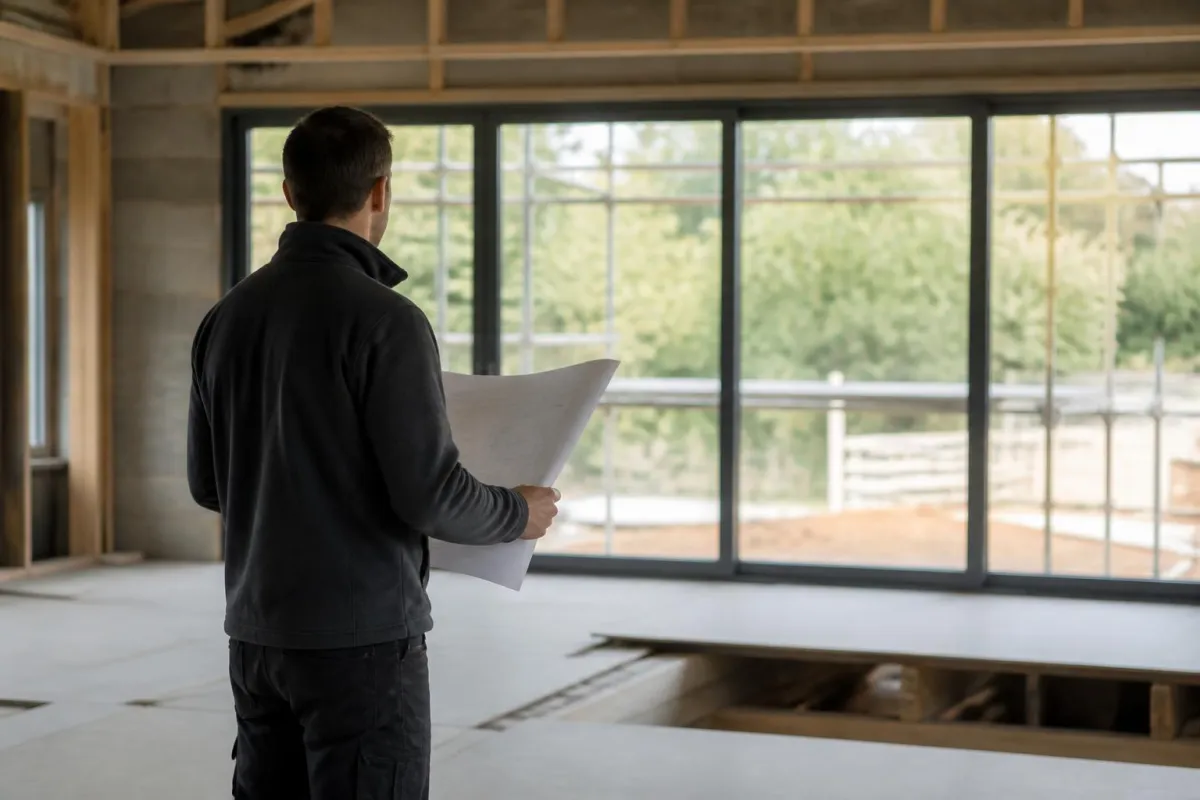
Hero illustration represents a building project; it is not a photograph of a Suffolk Web client or completed job.
A builder’s website is not there to win a design award. Its job is to help the right people decide, quickly and with enough confidence, to get in touch. For most builders and contractors, that means showing the kind of work you take on, where you work, what stage of project you suit, and what happens when someone enquires.
That is why good websites for building firms are judged less by personal taste and more by the quality of the enquiries they produce. A clean layout matters, but not as much as clear service pages, convincing project examples, a sensible quote form, and the trust signals that answer the questions a client is already asking in their head. When people search for website design for builders and contractors in the UK, what they usually need is not “something modern”. They need a site that helps them win better work.
What a builder’s website is actually meant to do
A builder’s website has a commercial job. It should pre-qualify, reassure and prompt contact.
Pre-qualify means helping the wrong enquiries filter themselves out. If you only take domestic extensions in Suffolk and Essex, say so. If you focus on principal contractor packages for commercial refurbishments, say that instead. If your minimum project size is above small repair jobs, your website should make that obvious without sounding dismissive.
Reassure means reducing doubt. Before a prospect calls, they want to know whether you are established, whether you understand their type of project, whether you work in their area, and whether you seem organised enough to trust with a significant budget or programme. Your website can do a lot of that work before anyone picks up the phone.
Prompt contact means making the next step easy. Too many contractor websites bury the contact route, ask for too much too early, or send every visitor to the same generic form. A good site gives people a clear path based on what they need. For example:
- Request a quotation
- Ask about availability in a specific area
- Discuss a live tender or drawing package
- Send plans for review
- Ask about maintenance or ongoing works
This is where lead quality matters more than visual taste. An attractive website can still leave those questions unanswered. Clear scope, genuine examples and a usable contact route give a prospect more information to make a decision; they do not guarantee enquiries.
For building firms, the real test is simple. Does the site help a homeowner, facilities manager, architect, quantity surveyor or developer decide whether to contact you? If not, the problem is rarely “branding” on its own.
Template site, custom build or staged improvement
There are three sensible routes for most builders and contractors.
Template site
A template-based website is often the right choice if you are starting from nothing, need a professional online presence quickly, or have a straightforward service mix. A good template is not automatically cheap-looking or ineffective. The issue is not whether a framework exists underneath. The issue is whether the final site is properly written, structured and set up for your business.
A template route makes sense when:
- You need a credible first website
- Your services are clear and limited
- You have only a small number of project examples
- You want to improve later in stages
It makes less sense when:
- You have several service lines that need different enquiry paths
- You operate across multiple sectors or regions
- You need integrations with internal workflows
- Your current business wins work through a more complex process than a standard brochure site can support
Custom build
A custom website is sensible when the website needs to reflect how your business actually sells and operates. That might mean different page journeys for domestic and commercial clients, project galleries filtered by sector, tender document submission, CRM integration, or internal workflow steps after an enquiry lands.
Custom does not have to mean over-engineered. It should mean the structure fits the business. For some contractors, that includes linking the site to internal systems or automations, especially where enquiries need triage, job type tagging, document handling or follow-up reminders. Where that becomes relevant, we usually look at the website and the admin process together, rather than treating them as separate problems. That is often where workflow automation for repetitive admin becomes more useful than adding another flashy page.
Staged improvement
This is often the most commercially sensible route. Many builders do not need a full rebuild immediately. They need the current site to stop getting in the way.
Staged improvement works well when:
- The site is basically serviceable but underperforming
- Key pages are missing or weak
- The enquiry form is poor
- Mobile usability is frustrating
- The content no longer reflects the work you want
- Search visibility is limited because the basics are not in place
A staged approach might begin with homepage messaging, service pages, project examples, forms, calls to action and technical fixes. Once that is working, broader search work can follow. If you are weighing up routes, our page on website design and improvement for growing businesses explains how we approach rebuilds and focused improvements.
What good contractor websites include before any SEO work
Before any search campaign starts, the website itself needs to be useful. Google’s own guidance is still based on useful, accessible content and clear links, not tricks or guarantees (Google SEO Starter Guide). That matters because many building firms are sold “SEO” before the site can even answer basic buying questions.
At minimum, a good contractor website should include these core elements.
Clear service pages
Do not leave everything on one vague homepage. Separate pages help people understand what you actually do.
Typical examples might include:
- House extensions
- Loft conversions
- Commercial fit-outs
- Refurbishment
- Groundworks
- Roofing
- Maintenance contracts
- Principal contractor services
Each page should explain scope, who it is for, areas covered, examples of relevant work, and what the next step looks like.
Location clarity
If you serve Ipswich, Colchester, Bury St Edmunds, Norwich or wider East Anglia, say so plainly. If you work across the UK for certain contract types, explain that too. Avoid fake “doorway” pages for every town with near-identical wording. They are poor for users and not what search guidance encourages.
Project examples
People want evidence. They do not always need dozens of polished case studies, but they do need enough to see the type, scale and finish of your work.
Useful project pages usually include:
- Project type
- Location
- Brief description
- Scope of works
- Constraints or requirements
- Photos you have permission to use
- A note about who the project suited
Be careful not to imply that illustrations or stock images are real jobs. If a photo is not your project, it should not be presented as one.
Trust signals
These should be relevant and verifiable, not decorative clutter.
Examples include:
- Company registration details where appropriate
- Public liability or employer’s liability references if you choose to mention cover, without oversharing documents
- Trade accreditations you genuinely hold
- Manufacturer approvals where relevant
- Health and safety processes
- Testimonials with enough context to feel real
- Named service areas
- A proper contact page
If you work in regulated or approval-heavy environments, explain the process clearly. In UK construction, requirements can differ by project type, procurement route and client standards, so do not use generic claims where specifics matter.
Sensible navigation
Visitors should not have to guess where to click. Keep the main menu short and obvious:
- Home
- Services
- Projects
- About
- Areas we cover
- Contact or Request a quote
On mobile, the navigation must still be usable. Accessibility basics matter here. Clear controls, readable contrast and understandable navigation help real users as well as compliance efforts (W3C accessibility tips).
Strong enquiry paths
A quote form should ask enough to be useful, but not so much that people give up. Good fields often include:
- Name
- Company, if relevant
- Phone
- Postcode or site location
- Type of project
- Brief description
- Upload plans or photos, if needed
Then decide what happens next. Who receives it? How is it acknowledged? Is there a triage step? Does someone call within a defined timeframe? These are business process questions, not just web questions.
How to compare suppliers without getting lost in jargon
If you are comparing agencies or freelancers, ask practical questions that reveal how they work.
Ask what is included
Do not accept “website design” as a complete description. Ask:
- How many pages are included?
- Who writes the content?
- Are project pages included?
- Is mobile design part of the job or treated as an extra?
- Will forms be set up and tested?
- Will basic search setup be included?
Ask who owns what
This matters more than many firms realise.
Ask:
- Will we own the domain, website files and written content?
- Will we have administrator access?
- What happens if we move supplier later?
- Are there ongoing licence dependencies we need to know about?
You should not be trapped in a system you cannot access.
Ask about updates and handover
A website is not finished on launch day.
Ask:
- How are updates handled after launch?
- Can our team edit text and images?
- Is training included?
- Is there a handover document?
- Who handles plugin, platform or security updates, if relevant?
Ask about search basics, not ranking promises
No one credible can promise positions. Google’s own guidance is clear that useful content and technical accessibility support discovery, but rankings are not guaranteed (Google SEO Starter Guide). For local search, relevance, distance and prominence all play a part, and position cannot be bought from Google (Google local ranking guidance).
So ask suppliers:
- Will key pages have unique titles and descriptions?
- Will the site structure be crawlable?
- Will redirects be handled if old pages change?
- Will indexing issues be checked after launch?
- Is Google Business Profile considered as part of local visibility?
If they talk only about “backlinks” and never mention page usefulness, service clarity or conversion paths, that is a warning sign.
Ask how they learn your business
A builder’s site should reflect how that builder wins work. If a supplier does not ask about project type, geography, ideal customer, procurement route, or how enquiries are qualified, they are probably designing in the dark.
Our article on choosing a local web designer for a small business covers some of these checks in more detail.
When a smaller fix is enough and when a rebuild is justified
A rebuild is justified when the structure itself is wrong, the content no longer matches the business, the site is hard to update, or the mobile experience is poor enough to cost you enquiries.
Typical rebuild triggers include:
- The site does not reflect your current services
- Visitors cannot easily find the right page
- The design is dated in a way that undermines trust
- Forms are broken or unreliable
- The platform is difficult to maintain
- The site has grown in a messy, inconsistent way over time
A smaller fix is often enough when the fundamentals are still there.
Examples:
- Rewrite the homepage so it states clearly what you do and where
- Split one overloaded services page into several specific pages
- Replace a weak contact form with a better quote form
- Add project examples with proper captions and context
- Improve page speed and mobile layout
- Tighten calls to action
- Fix indexing or duplication issues after checking what should actually be indexed (Google page indexing report guidance)
This is why we usually start with diagnosis, not assumptions. Compare focused improvements with a rebuild after checking the actual problems. The decision should reflect your site and business process, not an assumed outcome from either option.
The same principle applies to AI. If a simple form improvement or workflow adjustment solves the problem, that is the right fix. We only look at AI where it supports a defined process with proper permissions and human approval. That is the difference between a useful business system and a gimmick. Where a contractor wants to connect enquiries, document handling and admin more tightly, we may also look at custom internal systems and practical AI workflows, but only if the business case is clear.
How to brief a website project so it reflects how your business wins work
The better the brief, the better the website project tends to go. You do not need technical language. You do need clear business information.
Prepare the following.
1. Your services
List what you actually want to win, not everything you have ever done.
For each service, note:
- What it includes
- What it excludes
- Typical customer type
- Typical project stage
- Whether there is a minimum job size
- Whether the work is domestic, commercial or both
2. Your locations
Be specific about where you want more work. If you serve Ipswich and surrounding Suffolk regularly, say that. If you also cover Essex, Cambridgeshire and Norfolk, note whether all services apply equally across those areas. If some work is UK-wide, explain which type.
3. Your best examples
Gather:
- Project photos
- Short project notes
- Before and after context where available
- Client feedback you have permission to use
- Any drawings or visuals you are allowed to show
Use genuine examples and describe exactly what they demonstrate. Do not add client names, performance figures or implied endorsements without evidence and appropriate permission.
4. Your approvals and trust signals
Make a list of:
- Accreditations
- Memberships
- Insurances you want referenced
- Health and safety standards
- Sectors you are approved to work in
- Any awards you genuinely hold
5. Your enquiry handling
This is often missed, and it matters.
Write down:
- What counts as a good enquiry
- Who receives it first
- What information you need to qualify it
- Whether plans, photos or documents should be uploaded
- How quickly someone should respond
- What happens if the enquiry is outside scope
A website should fit this process. It should not create extra admin for no reason.
6. Your current problems
Be honest about what is not working.
Examples:
- Too many poor-fit domestic enquiries
- Not enough commercial leads
- No visibility for a profitable service line
- Website traffic with little contact
- Enquiries arriving without enough detail
- Team wasting time chasing missing information
That gives your supplier something commercial to solve, rather than just something visual to redesign.
A builder’s website should help you win the work you actually want, not just give you an online brochure. If you would like us to look at whether you need a rebuild or a more focused improvement, use the Suffolk Web quotation form. We work from Ipswich with businesses across Suffolk, Essex, Cambridgeshire, Norfolk and further afield in the UK, and we will start with the commercial job the site needs to do.
Good questions, short answers
Do all builders need a completely new website?
No. If your services are unclear, your contact path is weak or key pages are missing, targeted improvements may be enough. A rebuild is more sensible when structure, content and updating are all holding the site back.
Is a template website always the cheaper mistake?
Not always. A template can be reasonable for a simple service range and a clear local offer. It becomes a problem when it forces vague pages, weak navigation or no room for proper project evidence.
What pages matter most for a contractor website?
Usually: a clear home page, service pages, location-relevant pages where justified, an about page, contact page, and selected project or case pages. The exact mix depends on how your business is sold and quoted.
Will better design improve Google rankings?
Not by itself. Useful content, descriptive links and crawlable pages support discovery, while usability helps visitors act Google SEO Starter Guide. No supplier can guarantee rankings.
Should a builder website include AI features?
Only where they solve a defined problem. For example, routing enquiries or drafting internal notes may help if permissions and human approval are clear. A simple form or better admin process is often enough.
How do I get a sensible quotation for a website project?
Prepare your services, service area, examples of past work, who approves content, what happens after an enquiry and who will update the site. Then ask for scope, exclusions and handover in writing via /start-a-project or /contact.