How to plan a web page that brings better enquiries
Start with one page goal and one main audience
On this page
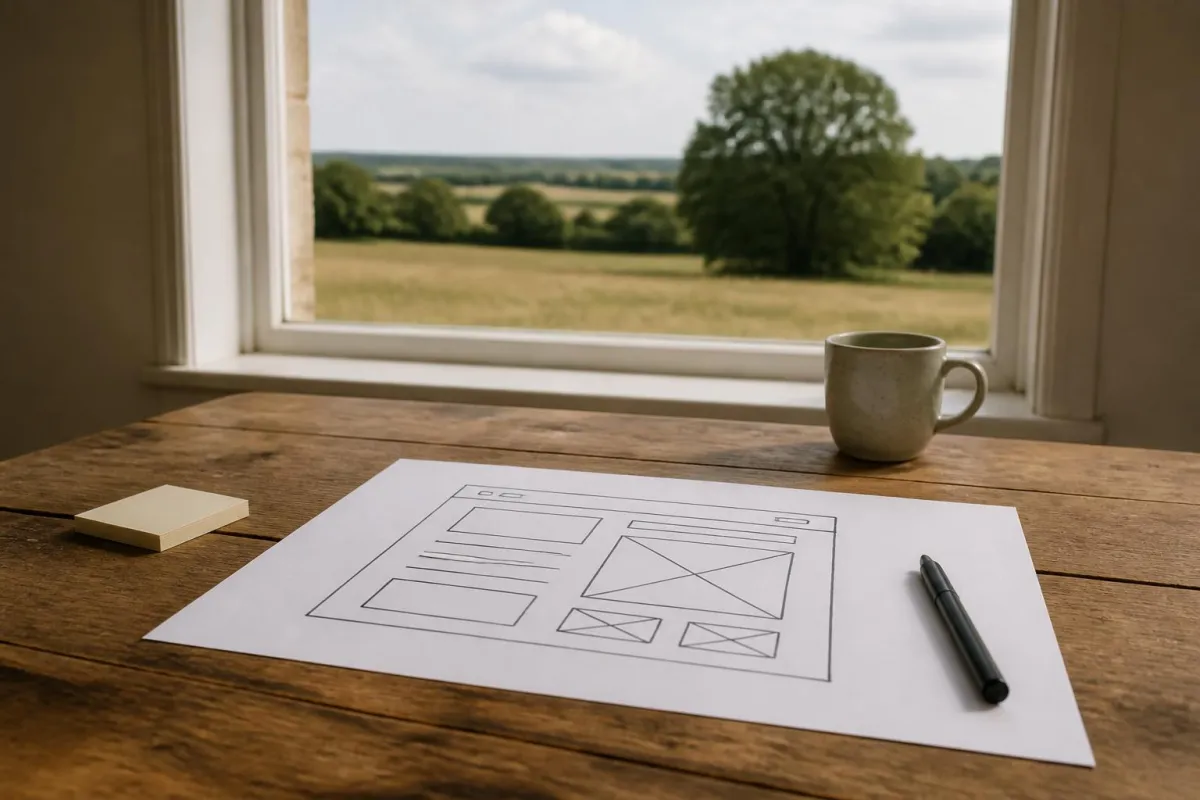
If you want better enquiries from a page, start before colours, layouts, or clever features. The page needs a clear job, a clear audience, and one sensible next step. That is the heart of how to design a web page for a business website. If those three things are vague, the finished page usually looks acceptable but leaves visitors unsure whether to contact you.
We see this often with independent businesses in Ipswich and across Suffolk, Essex, Cambridgeshire, Norfolk and the wider UK. A business asks for a new page, but what it actually needs is a sharper offer, a better explanation, or a simpler route to a quotation request. Good page planning fixes that before anyone starts moving boxes around on a screen.
Start with the job the page needs to do
Before you think about design, decide what success looks like for this page.
For most service businesses, the page is not there to impress other designers. It is there to help the right person decide, with enough confidence, to take the next step. Usually that means one of these actions:
- submit a quotation request
- call for a specific type of job
- send an enquiry with the right details
- download or request something that moves the sale forward
- visit a more detailed service page
Write the page goal as a sentence. For example:
“This page should help owners of small haulage firms decide whether to ask us about delivery workflow automation.”
That sentence is more useful than “we need a modern page”.
Then define the reader. Not everyone who lands on the page is at the same stage. Some are comparing suppliers. Some are checking whether you serve their area. Some are trying to work out whether you handle jobs of their size. If you try to speak to all of them at once, the page becomes foggy.
A quick planning exercise we use is:
- Who is this page for?
- What problem are they trying to solve?
- What worries might stop them enquiring?
- What proof would help them trust us?
- What exact action should they take next?
If you cannot answer those in plain English, stop there and sort that out first.
This is also where you decide what counts as a good enquiry. Many businesses say they want more leads, when they really want fewer, better ones. A page can help qualify visitors by stating what you do, what you do not do, where you work, and how your process starts. That saves time for both sides.
For example, at Suffolk Web, quotation requests come through the website. That means a page should not just attract attention. It should help a visitor understand enough to submit the right information in the first place.
Choose the right page type before you design it
A common mistake is treating every page as if it needs to be a brand new sales page. Often it does not.
Start by choosing the page type that matches the job.
A home page is usually for orientation. It tells people who you help, what you do, and where to go next. It is rarely the best place to explain one specialist service in depth.
A service page is for a defined offer. It should explain the problem, the service, who it suits, what the process looks like, and how to enquire.
A landing page is usually narrower. It works best when traffic is coming from a specific campaign, email, LinkedIn post, or advert, and the page continues that exact conversation.
A location page can be useful when there is genuinely different local intent, but it should not be a duplicate page with a town name swapped in. If you serve Ipswich and nearby counties from one base, say so clearly. Do not create weak pages for every place unless each one has a real purpose.
Sometimes the right answer is not a new page at all. You may only need to improve an existing page by:
- rewriting the first screen so it says what you actually do
- adding examples of the work you handle
- making the contact route clearer
- reducing a long form to the fields that matter
- separating two services that are currently mixed together
This matters commercially because a new page has a cost beyond design. It needs copy, approvals, links from other pages, and a reason to exist in search. If an existing page can do the job better with focused changes, that is often the better investment.
If you are unsure, compare the page idea against your current structure. Ask:
- Is there already a page covering this topic?
- Would a visitor reasonably expect to find this within an existing service page?
- Is the audience different enough to justify a separate page?
- Will we maintain this page properly after launch?
If you are weighing up whether a single page or a broader site structure makes more sense, our piece on when a single-page site is enough for a UK business may help clarify that decision.
Build the page around the questions a buyer actually has
Once the page type is settled, structure the content around buyer questions, not around what your business wants to say first.
Most good enquiry pages answer some version of these questions:
- Am I in the right place?
- Is this relevant to my situation?
- What exactly do you do?
- How does it work?
- What kind of business is it for?
- What does the process involve?
- Why should I trust you?
- What do I need to do next?
That order matters. If the opening section is vague, many people will not read far enough to discover the useful detail lower down.
A practical page structure often looks like this:
- A clear opening section
- A short explanation of the problem you solve
- What the service includes
- Who it is for, and sometimes who it is not for
- How the process works
- Relevant examples, outcomes, or project context
- A straightforward call to action
The copy should remove uncertainty. Compare these two approaches.
Vague: “We create bespoke digital solutions to help your business thrive.”
Clear: “We design and improve websites for businesses that need clearer enquiries, better search visibility, or less manual admin behind the scenes.”
The second version gives the reader something to work with.
This is also where specifics matter. Name the actual things that happen. If a form leads to a call, say that. If you need certain information before quoting, list it. If the page is for a service area, explain the workflow. If a project may involve website design, search visibility, automation and internal systems, explain how those pieces relate instead of bundling them into one broad promise.
Where you have real examples, use them carefully and accurately. At Suffolk Web, the public project accounts around Jagelo Haulage, Logivo.AI and Fleetalyse - as detailed in this guide - can help explain practical business workflows, but they should be used to illustrate a type of problem or process, not to imply a guaranteed result for every client. The same applies when mentioning Seonis or Fleeta Limited. Name recognition is not a substitute for explanation.
A useful test is to ask someone outside your business to read the draft and tell you:
- what the page is offering
- who it is for
- what happens after the form is submitted
If they cannot answer in under a minute, the page is still unclear.
For more on structuring a page around enquiry quality rather than surface style, see our article on web design that brings better enquiries.
Make the design easy to use on any device
Once the message is clear, the design needs to support it. Good page design is not decoration. It is making the page easy to scan, understand and use.
Start with layout. Put the most important message near the top. Use headings that mean something on their own. Break dense copy into manageable sections. Keep related items together. If a button asks someone to request a quote, the surrounding text should make it obvious what they are requesting.
Buttons should be specific. “Get started” can mean almost anything. “Request a website quotation” is clearer. So is “Ask about service page improvements”.
Forms are where many enquiry pages lose people. Ask only for the information you need at that stage. A typical quotation form might include:
- name
- business name
- phone, if genuinely useful
- website address, if relevant
- brief outline of the project
- budget range or timing, if needed for qualification
Do not ask for unnecessary detail just because you can. Long forms can be worth it when they improve enquiry quality, but every field should earn its place.
Mobile behaviour matters because many visitors will first see your page on a phone. Check that:
- headings do not become awkward walls of text
- buttons are easy to tap
- forms work without zooming
- text remains readable
- important content is not hidden behind sliders, tabs or hover effects
- images do not push key information too far down
Accessibility is part of usability, not an optional extra. Clear navigation, readable contrast, understandable labels and predictable controls help more people use the page confidently, including people with temporary or permanent impairments. The W3C accessibility design tips are a solid baseline here (W3C accessibility design tips).
If a page feels polished on a large monitor but frustrating on a phone, it is not finished.
This is one reason we often advise businesses to plan page content and user actions before visual styling. It is much easier to make a clear page attractive than to rescue an attractive page that never made sense.
We cover that relationship in more detail in website design that gives SEO a fair chance.
Check search visibility and performance without chasing myths
A well planned page should be discoverable and technically sound, but it helps to stay grounded in what established guidance actually says.
Search visibility starts with useful, descriptive content. Google’s own starter guidance says helpful content and descriptive links support discovery, and it does not promise rankings for following a checklist (Google SEO Starter Guide). So if you are thinking about how to design a web page that can also be found in search, focus first on clarity, relevance and sensible internal linking.
That means:
- give the page a specific purpose
- use a page title and headings that match the topic
- write naturally about the service or problem
- link to the page from relevant parts of the site
- avoid creating several weak pages that compete with each other
If the page does not appear in Google, check indexing properly rather than guessing. Google’s Page Indexing report explains that an excluded URL is not automatically a problem, and the right action depends on the reason shown (Google Page indexing report).
AI visibility has created a fresh batch of myths. Established search fundamentals still apply. Google states that its existing guidance remains relevant for AI features, and there is no special AI schema or text file required just to be considered (Google AI features). Likewise, if you are thinking about crawler access, OpenAI makes clear that search access and model training controls are separate choices (OpenAI crawler documentation).
For local service businesses, keep local expectations realistic. Google says local ranking is influenced by relevance, distance and prominence, and a better position cannot be bought from Google (Google local ranking). So a page can support local visibility by being specific about services and coverage, but no honest supplier should promise a fixed local position.
Performance matters too, but again, avoid magical thinking. Core Web Vitals are useful measures of loading, responsiveness and visual stability, not a guarantee of rankings or sales on their own (Core Web Vitals overview). In practice, we want pages that load reasonably, respond properly, and do not jump around while someone is trying to use them.
The practical takeaway is simple. Build a page that deserves to exist, make it easy to use, ensure it can be indexed where appropriate, and link it into the rest of the site sensibly. Do not chase tricks.
Write a brief a supplier can price and deliver
A good brief saves time, reduces revisions, and makes quotations more comparable. If you ask three suppliers for “a modern page”, you will get three very different answers and learn very little from the prices.
A usable brief should cover the decisions that affect scope.
Include the page purpose:
- what the page needs to achieve
- the primary enquiry action
- any secondary actions
Define the audience:
- who the page is for
- what stage they are at
- what objections or questions they may have
State the content requirements:
- key messages that must appear
- services or processes to explain
- proof points, examples, accreditations, or case material available
- legal or compliance wording that must be included
Provide practical inputs:
- existing page URLs
- competitor or reference pages you like, with notes on why
- brand guidelines if you have them
- imagery available, and whether new photography is needed
- form fields required
- systems the form needs to connect to
Set constraints:
- whether this is a new page or a revision
- CMS or platform limitations
- approval stages
- who signs off copy and design
- launch deadline, if there is a real one
Be honest about what is undecided. It is better to say “we need advice on whether this should be a service page or a landing page” than to pretend the structure is settled when it is not.
If a supplier is also handling wider business systems, automation, or AI integrations, define where human approval is required. Consequential actions should not be automated casually. That is as true for internal workflows as it is for public website behaviour.
At Suffolk Web, we find the best projects start with a brief that answers commercial questions, not just visual ones. That is especially true when a page sits within a wider process involving SEO, LinkedIn visibility, internal admin, or custom systems. Founder Vytautas Pipiras brings a background in IT, SEO and AI, but the right solution is not always the most technical one. Sometimes the correct recommendation is a tighter page, a clearer form, and a cleaner follow-up process.
If you are preparing to ask for help, our website design and improvement service explains the sort of work we can scope properly from a clear brief.
A well planned page does not need to be flashy. It needs to answer the right questions, guide the right visitor, and make the next step easy. That is what brings better enquiries.
If you want us to review an existing page or scope a new one, send us the page goal, the audience, and the action you want the visitor to take through our quotation enquiry route at /start-a-project or /contact. That gives us enough to advise whether you need a new page, a rewrite, or a simpler improvement to what you already have.
Good questions, short answers
What is the first step in designing a web page?
Decide what the page is for, who it is for and what you want the visitor to do next. Without that, design decisions become subjective and the page often tries to do too much.
Do I need a full redesign to improve one page?
No. Sometimes a clearer headline, better structure, stronger call to action or a shorter form is enough. A full redesign is only necessary when the current page cannot support the business goal.
How long should a business web page be?
It should be long enough to answer the buyer's main questions and support the next step. There is no fixed ideal length. Important pages often need more detail than a short promotional page.
Does good web page design help SEO?
It can help by making content clearer, easier to navigate and easier for search engines to understand, but it does not guarantee rankings. Useful content and descriptive links remain part of established guidance.
What should I give a web designer or agency?
Provide the page goal, target audience, required sections, examples you like, brand constraints, technical limits, approval process and the action you want visitors to take. That makes quoting and delivery more reliable.